See what added up.
Pick the charts for your dashboard. Tap one to see the purchases behind it.
Review a month of spending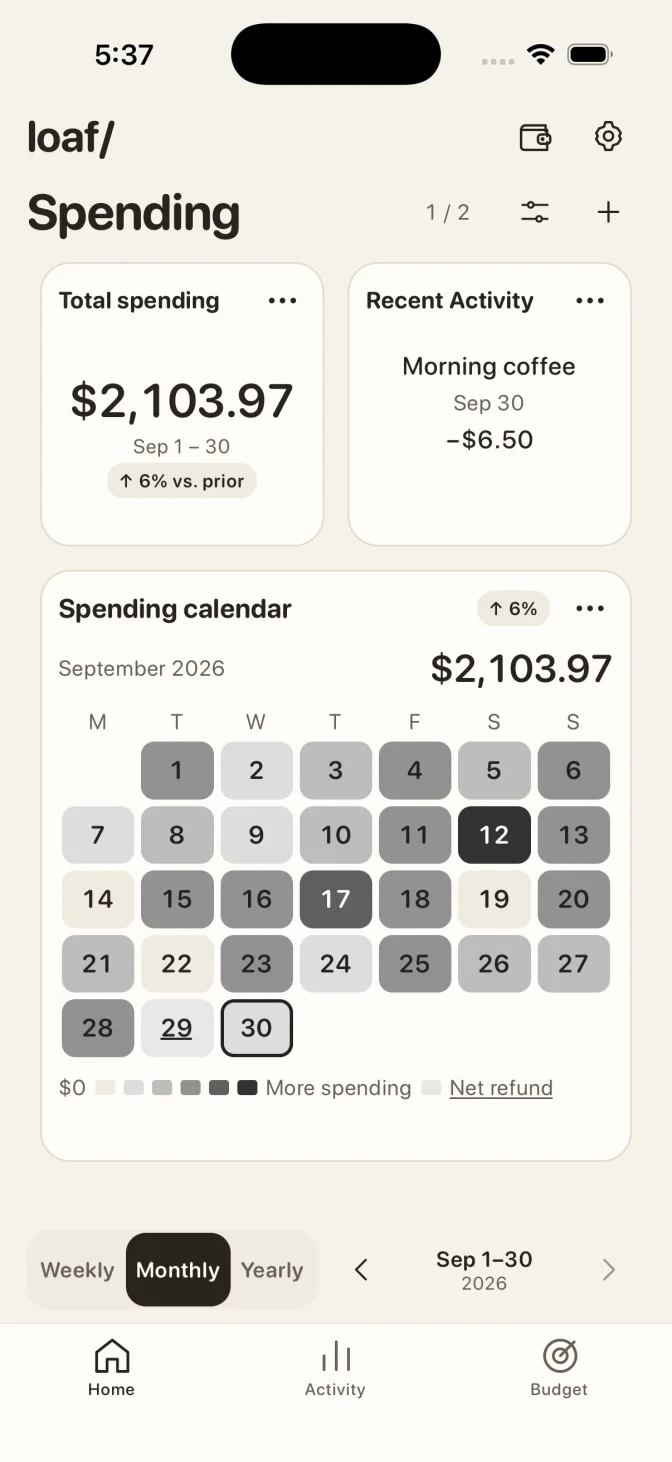
Track spending, set monthly limits, and keep tabs on bills with Loaf for iPhone.
Pick the charts for your dashboard. Tap one to see the purchases behind it.
Review a month of spendingSet a monthly limit for a category or a group. Carry it forward when it still fits.
Budget without linking a bank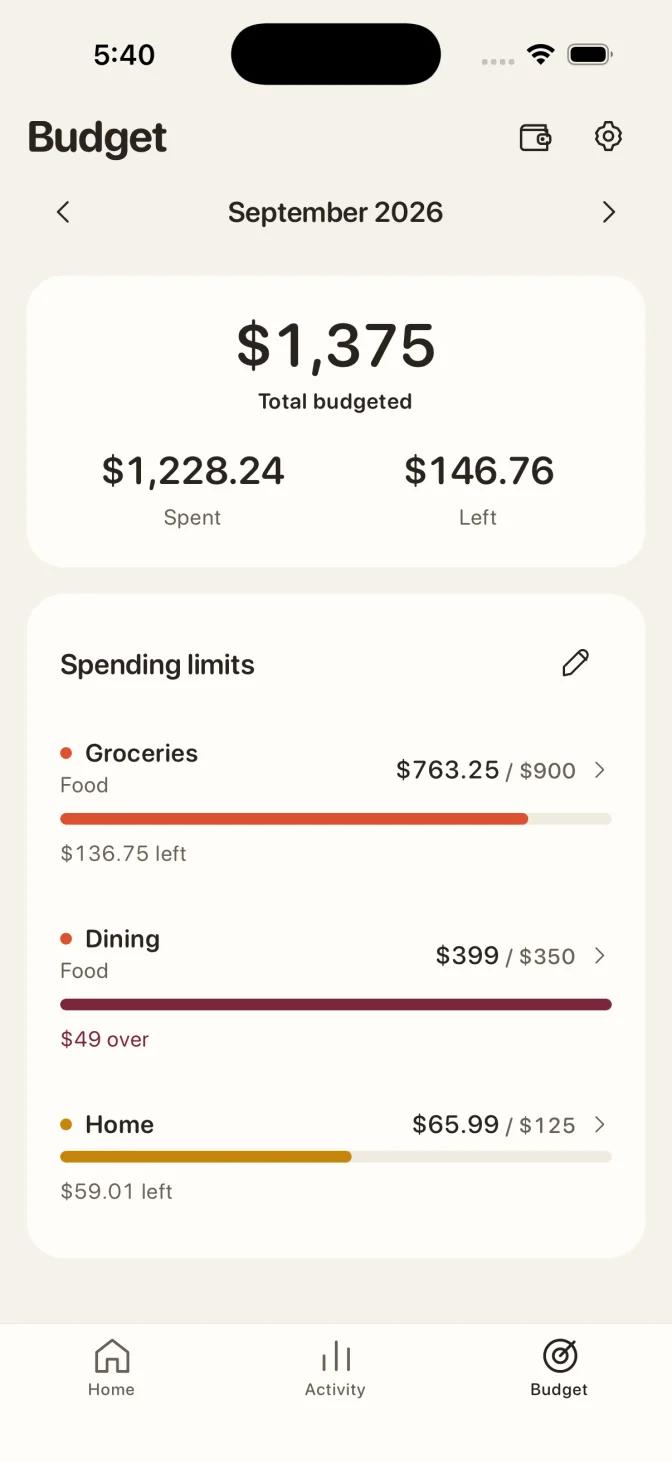
See bills and subscriptions on a calendar. Check charge history and set reminders.
Make a bill calendar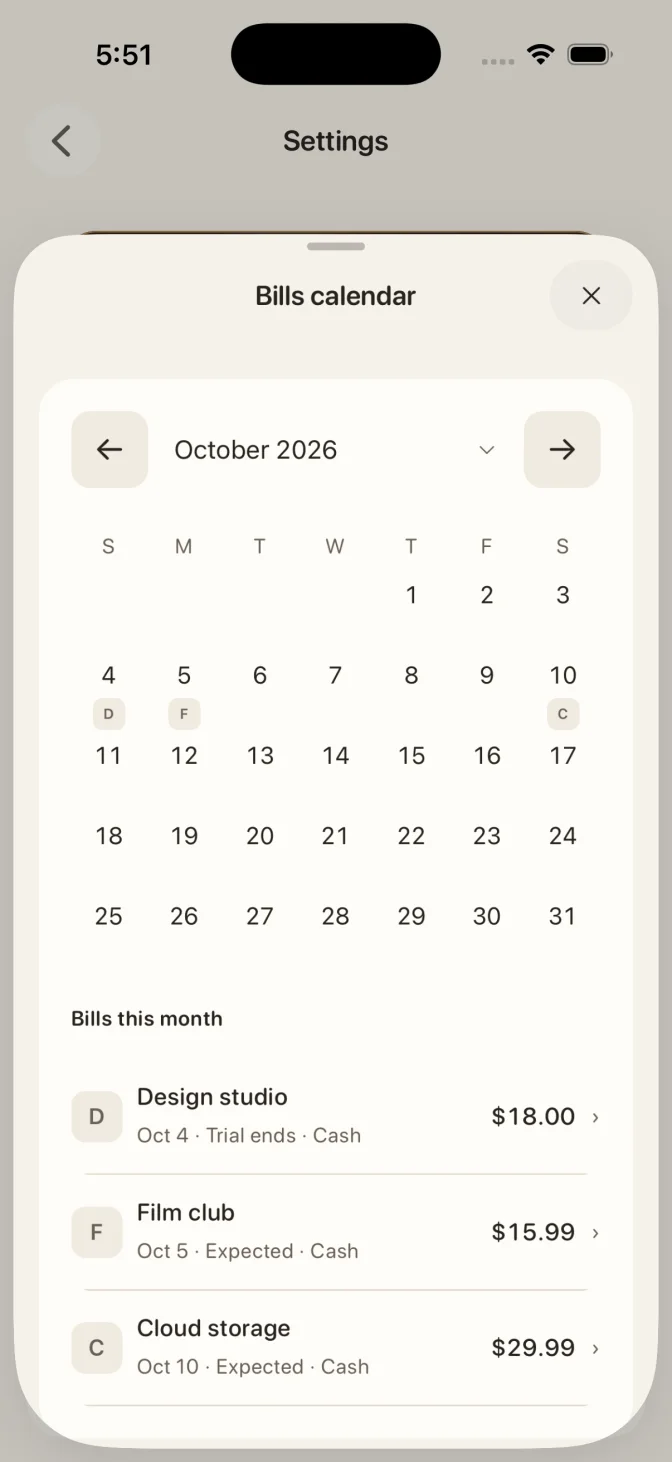
Bank linking is optional. Loaf uses Plaid for supported connections.
7 days free for eligible new subscribers. Card required. Your chosen plan renews automatically unless you cancel. US pricing.
More questions? Visit support or email us.
Get Loaf from the App Store for iPhone and iPad. Loaf currently serves US adults aged 18 or older and tracks US-dollar accounts.
Yes. The iPhone app supports free manual accounts and CSV imports. To connect a supported US bank, start a Plus trial or subscribe through Loaf Accounts. No invitation or personal approval is needed.
Loaf Accounts lets you sign in, view your financial accounts, start a Plus trial, and manage bank and AI connections. Use Loaf Connect to review spending and make supported changes through ChatGPT or Claude.
You need a Loaf account and an AI app that supports remote MCP connections. Your AI provider may have separate access requirements or subscription terms. See our guides for ChatGPT and Claude.
For Apple purchases, use your Apple account settings. For web purchases, use the management link in your purchase email. Loaf Accounts shows your current membership status.
Request deletion from Settings in the app or from Loaf Accounts. You’ll confirm with a fresh email code and a typed confirmation. Deleting your Loaf profile does not close your bank accounts or cancel the bills you track. Apple subscriptions must be cancelled separately.